Connecting multiple providers
Your application only needs one model ID: the gateway chooses among, and falls back across, the channels that serve that model, counting both the provider channels the platform supplies and the channels you connect through BYOK. To switch to another model after one fails, use a virtual model's fallback models or the workspace default model. Different channels may use different upstream protocols and handle the same request differently, so verify each channel before going live.
One model ID, several channels
A model in the model marketplace can have several sources:
- Platform sources: provider channels supplied by the platform, shown as Third-party under Sources. A model may be offered by several providers, and newly listed platform sources are enabled by default.
- BYOK sources: channels the current Account Owner connects in BYOK with your own provider API keys; they are enabled by default once the configuration takes effect. For connecting and mapping, see Connect a provider and Model mappings and sources.
Only enabled sources take part in calls. Under Providers & pricing in the model details, each source has its own status, switch and price; when the same provider has both a platform source and a BYOK source, they are labeled Platform price and BYOK reference price. For enabling and disabling sources, see Choosing a model.
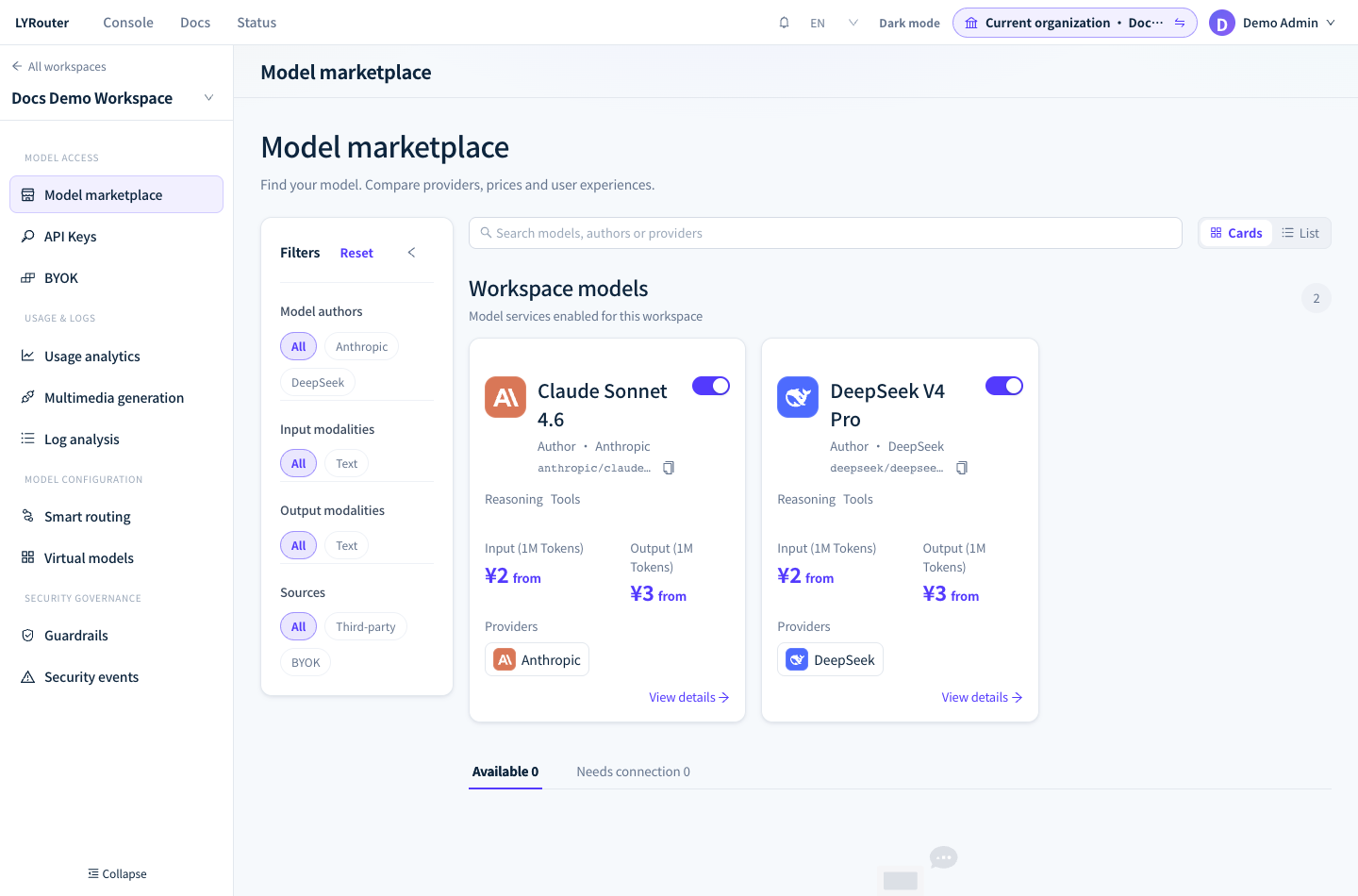
Figure 1: The Sources filter on the left of the model marketplace picks out Third-party or BYOK sources; Workspace models are the models enabled in the current workspace. Demonstration data; click the image for full size.
How the gateway chooses among channels
When you call a model ID directly, the gateway sorts that model's channels with these settings:
| Setting | Where | Effect |
|---|---|---|
| Only use this BYOK | Usage step of BYOK | The model uses only this channel's BYOK credentials and, after they fail, never platform credentials, other channels or the default model |
| Prefer this Channel | Usage step of BYOK | Puts this channel first; on failure the gateway falls back as usual |
| Multi-channel routing strategy | Smart routing | Sorts the remaining channels by Lowest Price, Load balanced, Highest Throughput or Lowest Latency; new workspaces default to Lowest Price |
| Channel sort strategy | Virtual models | Replaces the multi-channel routing strategy for calls made through a virtual model |
- Within a channel, your BYOK credentials are tried first (in the order set in BYOK), then platform credentials (when the channel's platform source is enabled).
- Lowest Price and Load balanced keep calls from the same API key to the same model on one channel (for 30 minutes, renewed by every call), which raises the upstream prompt-cache hit rate.
- Requests have no parameter for choosing a channel. To give some calls a different order, create a virtual model for them and set its Channel sort strategy.
How each option sorts channels is described in Channels and routing.
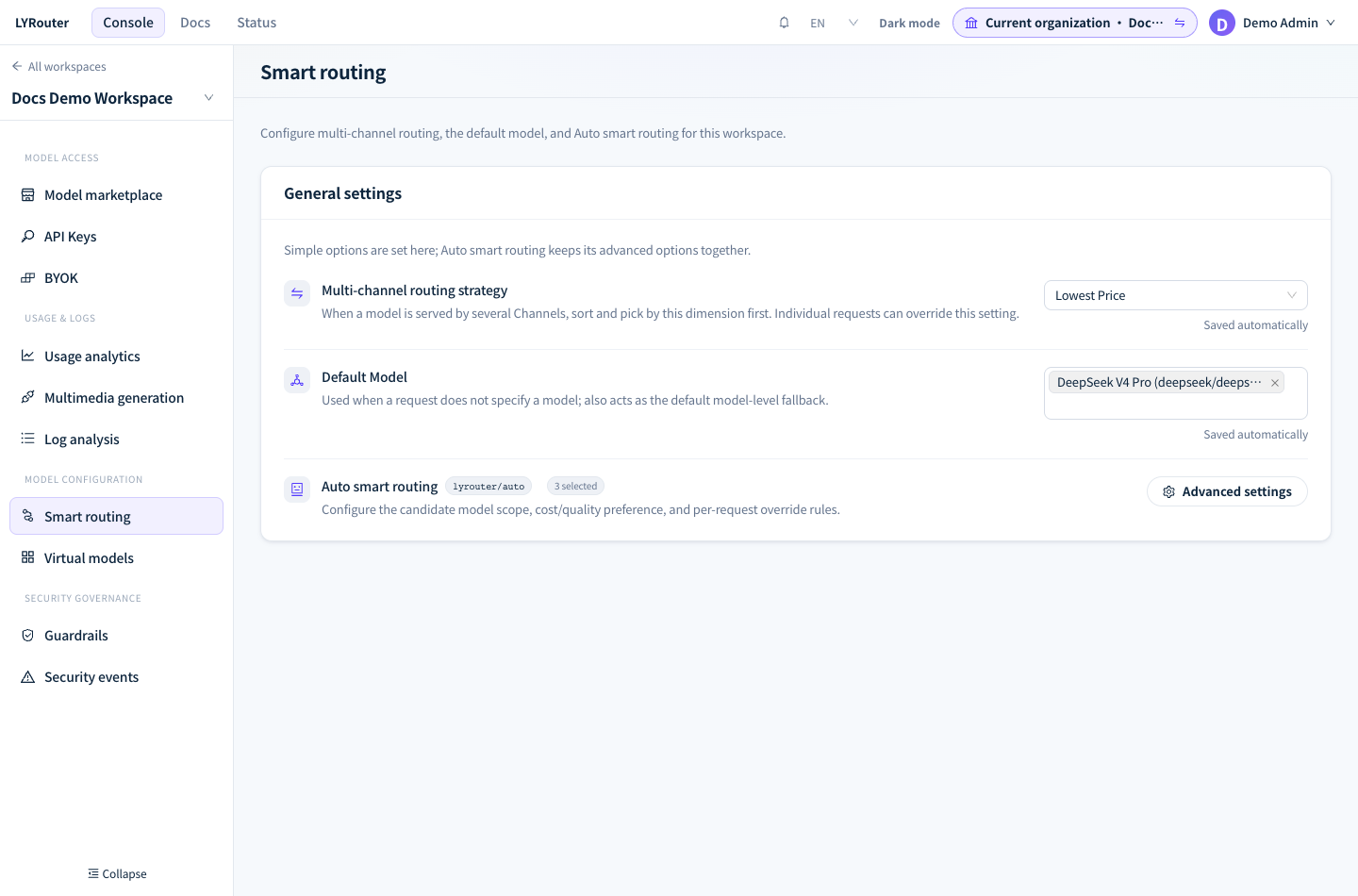
Figure 2: Set the multi-channel routing strategy and the Default Model in Smart routing; changes are saved automatically. Demonstration data; click the image for full size.
Fallback after failure
- Within one model: when the upstream returns a non-2xx status, the connection fails or the wait times out, the gateway automatically switches to the next credential or channel, as long as it has not started sending output to the client.
- Across models: a virtual model tries its Default model, then its Fallback models in the order entered, then the workspace default model. When you call a model ID directly and every channel fails, the workspace default model takes over (if one is set in Smart routing).
- When there is no fallback: once streaming output has started, when the channel has Only use this BYOK turned on, or when the gateway rejected the request (for example 402 for insufficient balance, 403 for a guardrail block, or 400 when the model does not support the endpoint or the input). Image, video and audio endpoints fall back only among the channels of the same model.
The full rules are in Retries and fallback.
Compatibility checks before going live
The same request can produce different results on different channels. In a test workspace, keep only one source turned on in the model details, run the same set of real tasks on each channel in turn, and check the following:
| Check | Why |
|---|---|
| Structured output | For Anthropic-protocol channels, fields such as response_format, seed, n and logprobs are dropped during conversion |
| Responses endpoint | /v1/responses requests are forwarded as is, so only channels that provide a Responses endpoint can handle them; Anthropic-protocol channels do not have one |
| Tool calls and streaming | Check the argument structure of tool_calls, and check that streaming output ends normally with data: [DONE] (or message_stop) |
| Reasoning parameters | reasoning_effort, enable_thinking and thinking_budget belong to different providers, and the gateway does not convert between them |
| Prompt caching | Cache hit rates differ between channels; Anthropic's cache_control markers are kept only for requests sent to Anthropic-protocol channels |
| Prices and limits | Each source is priced separately; BYOK credentials are also subject to the provider's own quotas and rate limits |
The full protocol conversion rules are in Capabilities and compatibility, and cache optimization in Reducing costs and improving cache reuse.
Verify the actual route
After a call, open the record in the request logs and check Model (actual) and Provider. The current Account Owner and workspace Admins can also see Routing strategy, All candidates and Upstream call attempts in Route trace; Upstream call attempts records the status code of each actual attempt and why the gateway moved to the next candidate. See Inspecting request routing.
I configured BYOK, so why do requests still go through a platform channel?
Answer: Under strategies such as Lowest Price, a platform channel may be sorted ahead of your BYOK channel. To prefer BYOK, ask the Owner to turn on Prefer this Channel in that BYOK's Usage step; to use only BYOK, turn on Only use this BYOK, after which the channel's platform source shows BYOK only in the model marketplace.
Answer quality or speed for the same model varies. How do I troubleshoot?
Answer: Filter the logs by model and compare Provider, TTFT and Latency across requests to see whether they landed on different channels. Once you find the source that performs poorly, you can disable it in the model details or adjust the multi-channel routing strategy.