Guardrails and semantic auditing
Guardrails are workspace-level call policies: the gateway checks the quota, model, client and request content of every call against them and, on a match, alerts, masks, strips, blocks or bans, leaving a record on the Security events page. Quota, Model access and Client access policies are available from the Team edition; Sensitive data, Prompt injection and Intent security detection require the Enterprise edition. The current Account Owner manages both policies and events on the workspace's Guardrails and Security events pages; Account Members do not see these two pages.
Policy types and editions
| Policy type | What it checks | Available actions | error.code when blocked |
Minimum edition |
|---|---|---|---|---|
| Quota | Credits or Token usage within the period, plus optional RPM and TPM | Block, Alert | Returns 429; see Budgets, quotas and rate limits | Team |
| Model access | The model actually called | Block | guardrail_model |
Team |
| Client access | Source IP, tool names declared in the request, User-Agent |
Block, Alert | guardrail_client |
Team |
| Sensitive data | Personal information, credentials and sensitive keywords in requests or answers | Request side: Block, Alert, Mask; response side: Block, Alert | guardrail_sensitive |
Enterprise |
| Prompt injection | Content in user input that tries to rewrite the model's instructions | Block, Alert, Strip | guardrail_injection |
Enterprise |
| Intent security | Whether the request's intent is a high-risk type | Ban, Block, Alert | guardrail_context |
Enterprise |
- Edition follows the subscription: an organization without an active subscription is treated as Personal. The Personal edition shows both menus, but the pages display "This feature isn't available on your current plan". A personal account cannot subscribe directly; first create a Team or Enterprise organization, then subscribe on the Subscription & Credits page.
- Existing policies keep working after a downgrade: when the current edition does not include a policy type (for example after downgrading from Enterprise to Team), policies of that type that were already created still block or mask requests at the gateway. The page points this out; you can disable or delete them, but not create or edit them.
- Event retention: by default, security events are kept for 30 days on Team and 180 days on Enterprise; after that they can no longer be found in the list or details.
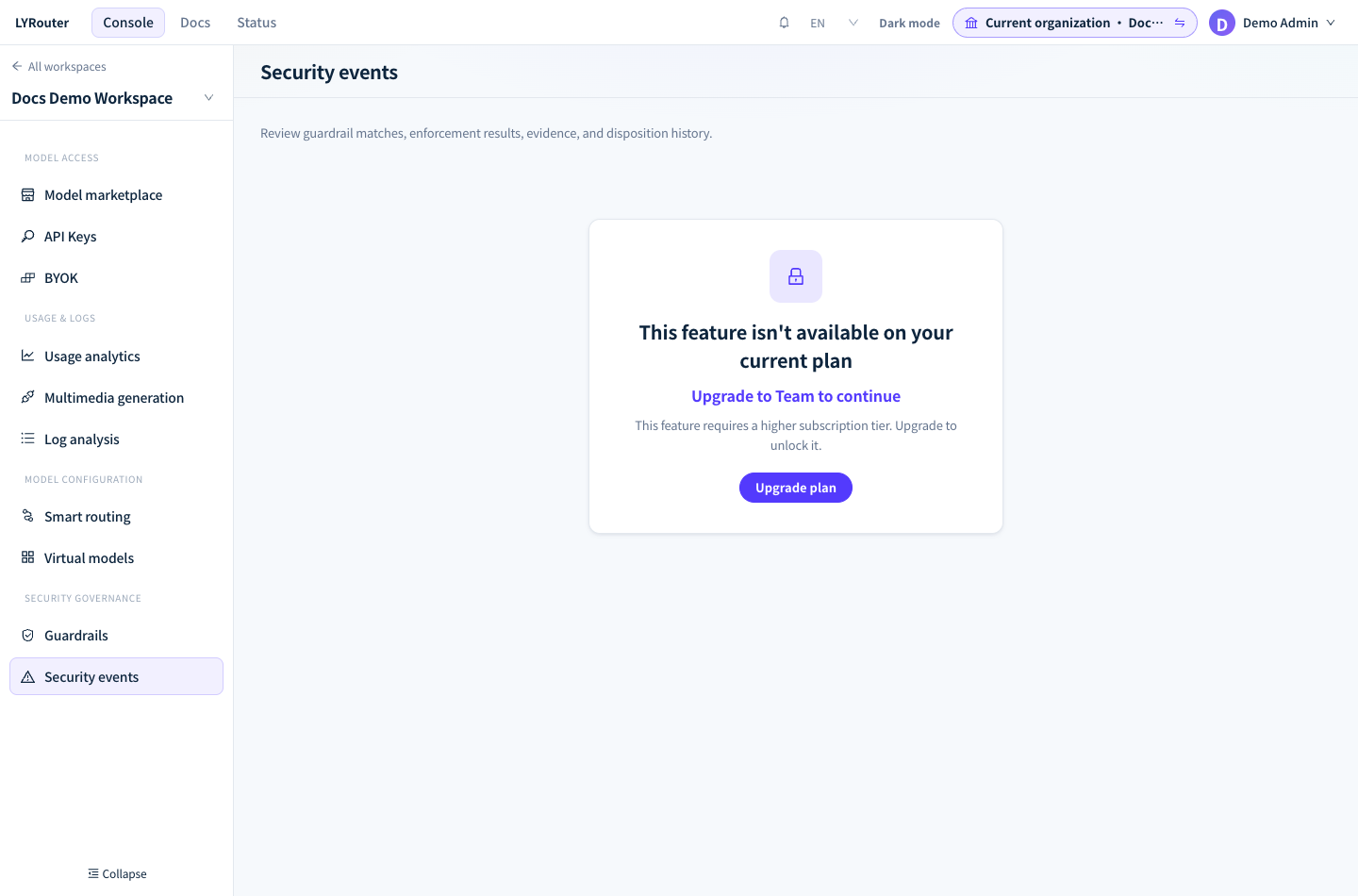
Figure 1: When the current plan does not include security events, the page shows "This feature isn't available on your current plan" and an upgrade entry. Demonstration data; click the image for full size.
Creating a policy
In Guardrails, switch to the tab for the policy type, click the create button at the top right (for example Create Quota policy) and complete three steps:
- Targets: under Target type, choose Workspace, Department, Organization member or API key, then select the specific targets. Model access cannot target Workspace.
- Policy rules: enter a Policy name (at least 2 characters) and the rules for the type, then choose the Enforcement action. The policy type is set by the tab you are on and cannot be changed after saving.
- Activation: choose Immediately or Scheduled, and Never or Set expiry time. Finally click Save draft (not enforced), Save and enable, or Save and schedule.
Only policies whose status is Enabled and that are within their active period are enforced. In the list you can disable, enable, edit or delete a policy at any time.
| Target | Calls covered |
|---|---|
| Workspace | All calls in this workspace |
| Department | API keys whose creator's primary department is exactly the selected department, not sub-departments |
| Organization member | All API keys created by the selected members |
| API key | The selected API keys |
When several policies apply to the same call, all of them are enforced; the gateway does not pick only the most specific one. For example, a workspace-level sensitive data policy and one on an API key both check the call; a workspace quota and a member quota are two independent limits, and reaching either one rejects the call.
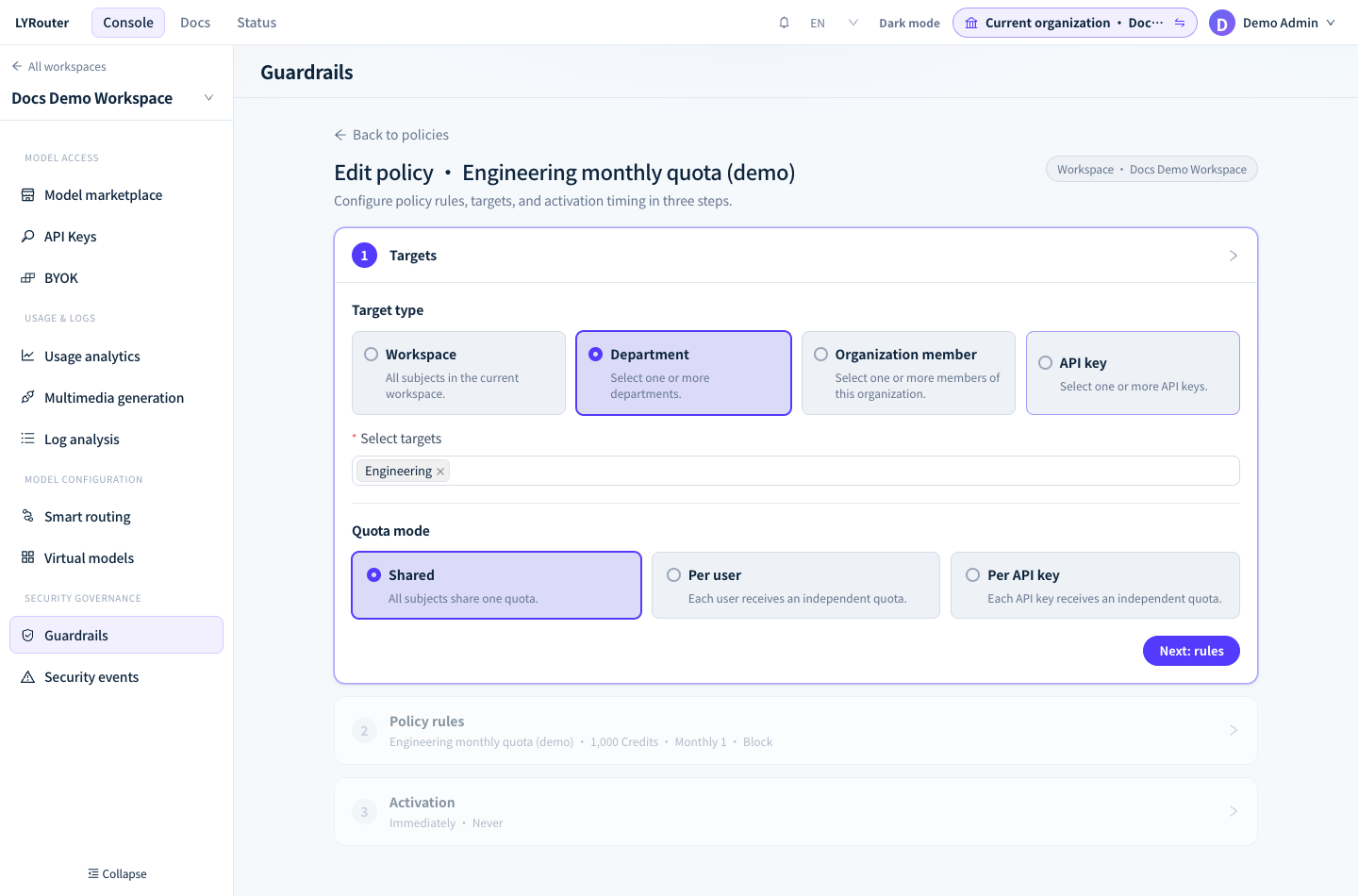
Figure 2: Step one of the policy editor, Targets: choose the target type and the departments; quota policies also need a quota mode. Demonstration data; click the image for full size.
Rules for each policy type
Quota and Model access are covered in Budgets, quotas and rate limits and Model access.
Client access
Each policy chooses one Control object, then Allow list or Deny list:
| Control object | What it matches | How to write it |
|---|---|---|
| IP / CIDR | The request source IP as seen by the gateway | IPv4, IPv6 or a range, for example 10.0.0.0/8 |
| Tool / function | Function names declared in the request body's tools (or functions) |
Supports * wildcards; not checked when the request declares no tools |
| Client / SDK | The User-Agent request header |
Supports * wildcards; matches the whole string and is case-sensitive, for example company-agent/* |
With an allow list of tool names, every tool the request declares must be on the list; with a deny list, a single matching tool is a violation.
Sensitive data
- Detection categories: Identity card number, Mobile number, Bank card number, Passport number, Email address, Home address, License plate, Unified social credit code and Authentication credential, plus Financial data, Health data and Business secrets, which are recognized by keywords. New policies have Identity card number, Mobile number, Bank card number and Authentication credential checked by default. Identity card numbers, bank card numbers and unified social credit codes are validated against their check digits.
- Custom rules: under Custom information types and masking rules, each rule has a category name, a regular expression and an optional masking style; up to 50 rules.
- Detection direction: Request, Response, or Request and response. The response side uses rule detection only, and its action can only be Block or Alert.
- Detection engine: Rules or Hybrid. Hybrid also uses a semantic model to recognize attempts to extract sensitive data; a semantic match has no text that can be located, so a Mask action is changed to Block.
- Detection scope: User input only by default, which checks user messages only. "Whole conversation (assistant replies and tool results)" checks more thoroughly but produces noticeably more false positives; observe it with Alert first.
- Masking style: Replace entirely (the default; replaced with
[REDACTED]), Keep partial digits (for example a mobile number becomes138****5678) and Hash (replaced with[SHA256:…]; the same value always gives the same result). Financial data, Health data and Business secrets match keywords rather than specific values, so they cannot be combined with masking; saving fails otherwise.
Prompt injection
- Detection categories: Instruction override, Direct injection, System prompt leakage, Role-play jailbreak, Delimiter and format escape, Encoding obfuscation, Multilingual bypass, Payload splitting, Indirect injection, Adversarial suffix, Privilege override, Tool hijacking.
- Detection engine: Rules, Semantic or Hybrid.
- Sensitivity: Low, Medium or High; higher is stricter. High blocks the most and also produces the most false positives; Low blocks only the requests it is most certain about. New policies default to High.
- Strip: replaces the matched fragment with
[REMOVED]and forwards the request; when there is only a semantic match with no fragment that can be located, the action is changed to Block. Injection detection checks requests only, not answers.
Intent security
- High-risk intent types: Data exfiltration, Destructive operation, Fraud, Privilege escalation, Malware.
- Confidence threshold: 0.5–1, default 0.9; a request counts as a match only when its risk probability reaches or exceeds the threshold.
- Ban: when the action is Ban, you also fill in Auto-unban time (hours), from 1 to 8760, default 24.
- You must check "Enable storage for cross-session security analysis" before saving.
Applicable endpoints: sensitive data, prompt injection and intent security detection apply only to /v1/chat/completions, /v1/messages and /v1/responses. Embeddings, image, audio, video and rerank endpoints only go through ban, model access and client access checks. When the semantic detection service is temporarily unavailable, the semantic part does not block requests, and rule detection runs as usual.
What callers see
| Enforcement action | Gateway behavior | What the caller sees |
|---|---|---|
| Alert | Lets the request through, records a security event and sends a notification | A normal response |
| Mask | Replaces the matched content, then forwards it to the model | A normal response; the model receives the masked content |
| Strip | Replaces the matched injection fragment with [REMOVED], then forwards |
A normal response |
| Block (request side) | Does not call the model | 403 Request blocked by guardrail policy, with error.code guardrail_<type> |
| Block (response side, non-streaming) | Discards the model's answer | 403 Response blocked by guardrail policy, with error.code guardrail_sensitive. The upstream has already generated the answer, so the call is billed as usual |
| Block (response side, streaming) | The response has already started, so a 403 can no longer be returned; it masks instead | The answer streams as usual, with matched content masked |
| Ban | Rejects this request and bans this API key | This request gets 403 Request blocked by guardrail policy (guardrail_context); later requests get 403 Subject is blocked by an active security ban (guardrail_subject_banned) |
- Error messages contain neither the policy name nor the matched content, and retrying the same request gets the same result. How to handle each error is covered in 401 / 403: authentication and access.
- With response-side detection on, the last 64 bytes or so of each streamed chunk are sent slightly later, so that numbers split across two chunks can be recognized.
- A ban takes effect once the security event has been stored and applies to all requests from this key in this workspace; every rejection during the ban records an Active subject ban event. The ban lifts automatically after the Auto-unban time (hours), and you can also lift it early by hand, as described below.
Reviewing and handling security events
The Today, Blocked today, Pending and Currently banned figures at the top of the Security events page each filter the list with one click. The list can be searched by event, request, trace or subject and filtered by event type, severity, disposition status and time; Export downloads the events that match the current filters.
Open an event to see its details:
| Section | What to look at |
|---|---|
| Basic information | Occurred, Type, Matched policy, Subject, Action, Severity, Status, Model and Client. Subject shows the API key's name and creator; the creator is the person who created the key, not necessarily the one who made the call |
| Trigger timeline | Request arrived → Guardrail matched (request side or response side; rule match, semantic match and score, or quota reached) → Action executed. When the actual action differs from the configured one, the reason is given, for example "Response streaming had already started, Block could not be applied" or "Semantic match has no character span, Mask downgraded to block" |
| Match details | Matched rule, trigger threshold, confidence, detector and Request ID |
| Evidence · masked | When sensitive data or injection detection matched on the request side, the original text around the match, with sensitive values masked; viewing it is written to the audit log. Quota, model and client events do not capture request content |
| Disposition timeline | The action, status, note, operator and time of each disposition |
Click View associated access log to open this request's log details directly.
Disposition: write your conclusion in Disposition note, then click Confirm event (status becomes Confirmed), Mark false positive (False positive) or Complete disposition (Resolved). Ban events also offer Unban subject, which sets the status to Resolved and lifts the key's ban in this workspace within a few seconds. Select several events in the list to handle them in bulk, up to 500 at a time; run it again for any remaining events. Disposition changes only the event status, not the policy; when false positives are frequent, go back to Guardrails and adjust the policy.
FAQ
Why did the same problem produce only one event?
Answer: To keep the list from being flooded, sensitive data and prompt injection matches for the same policy, key and category within 5 minutes are merged into one event, and quota hits are merged per period. Merging affects only the event records: every request is still blocked or masked as usual, and each blocked request is recorded in the logs.
A member reports a blocked request. How does the Owner find the event?
Answer: Ask the member for the call time, the API key's name and the error.code from the error, then filter Security events by time range and event type. If the request can be found in the logs, paste the Request ID from the top of the log details into the Security events search box to locate the matching event.